Certs expire. Domains lapse. Servers go quiet. Find out early.
PrettyGoodPing [Beta] keeps watch over the things that quietly break — expiring certs, lapsed domains, unresponsive servers and dead URLs — and lets you know, from one dashboard.
Sign in with GitHub, GitLab or Google. No credit card, no agent to install.
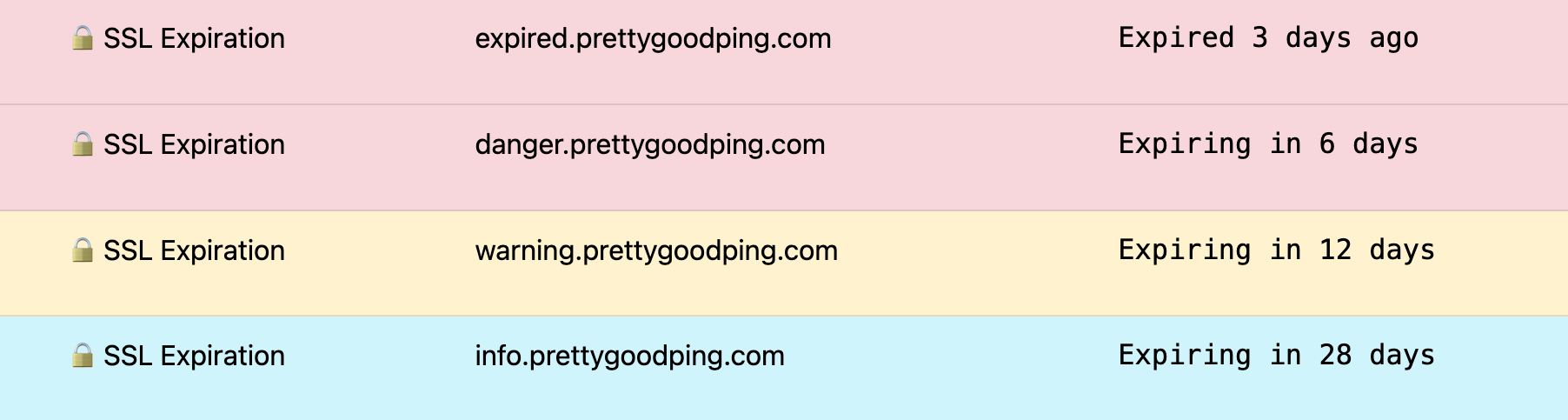
Your dashboard, shortly after you add your first check.
Four checks. One dashboard.
Name what you want watched, and PrettyGoodPing runs the check on a schedule, grades the result, and tells you when it crosses a line.
🔒 SSL Expiration
The expiration date of a TLS/SSL certificate on any publicly reachable host or IP.
🌐 Domain Expiration
The registration expiry date for a domain name, without the host. 🧪 Experimental 🧪
🚀 URL HEAD
A HEAD request to a URL — GET if HEAD isn't supported. Anything outside 2xx/3xx is a failure.
⏱️ Ping
Ping a host, with or without a port, and watch the response time as well as whether it answers.
Every result lands in a zone
Results aren't pass or fail. Each one is graded info, warning or danger, and the whole row is tinted on your dashboard so you can see what needs attention from across the room.
Email and Slack notifications only fire in the danger zone — up to 12 per incident for the five minute checks, plus one more when the resource comes back. Dashboard alerts appear for all three zones.
| Check | danger | warning | info |
|---|---|---|---|
| 🔒 SSL Expiration | 10 days | 20 days | 30 days |
| 🌐 Domain Expiration | 3 weeks | 6 weeks | 9 weeks |
| ⏱️ Ping | > 400 ms | > 200 ms | > 100 ms |
| 🚀 URL HEAD / GET | HTTP failure | — | — |
Get alerted where you already are
When a check crosses into the danger zone, PrettyGoodPing reaches you the way that fits your day — no extra dashboard to keep an eye on.

A note in your inbox the moment a check crosses into the danger zone, and one more when it recovers.

Slack
Send the same danger-zone alerts to the channel your team already watches, so nobody has to remember to log in.

Calendar feed
Subscribe your calendar app to a private feed and every certificate and domain expiry lands in the calendar you already check.
Set up in about a minute
- 1 Sign in with GitHub, GitLab or Google. There is no password to choose.
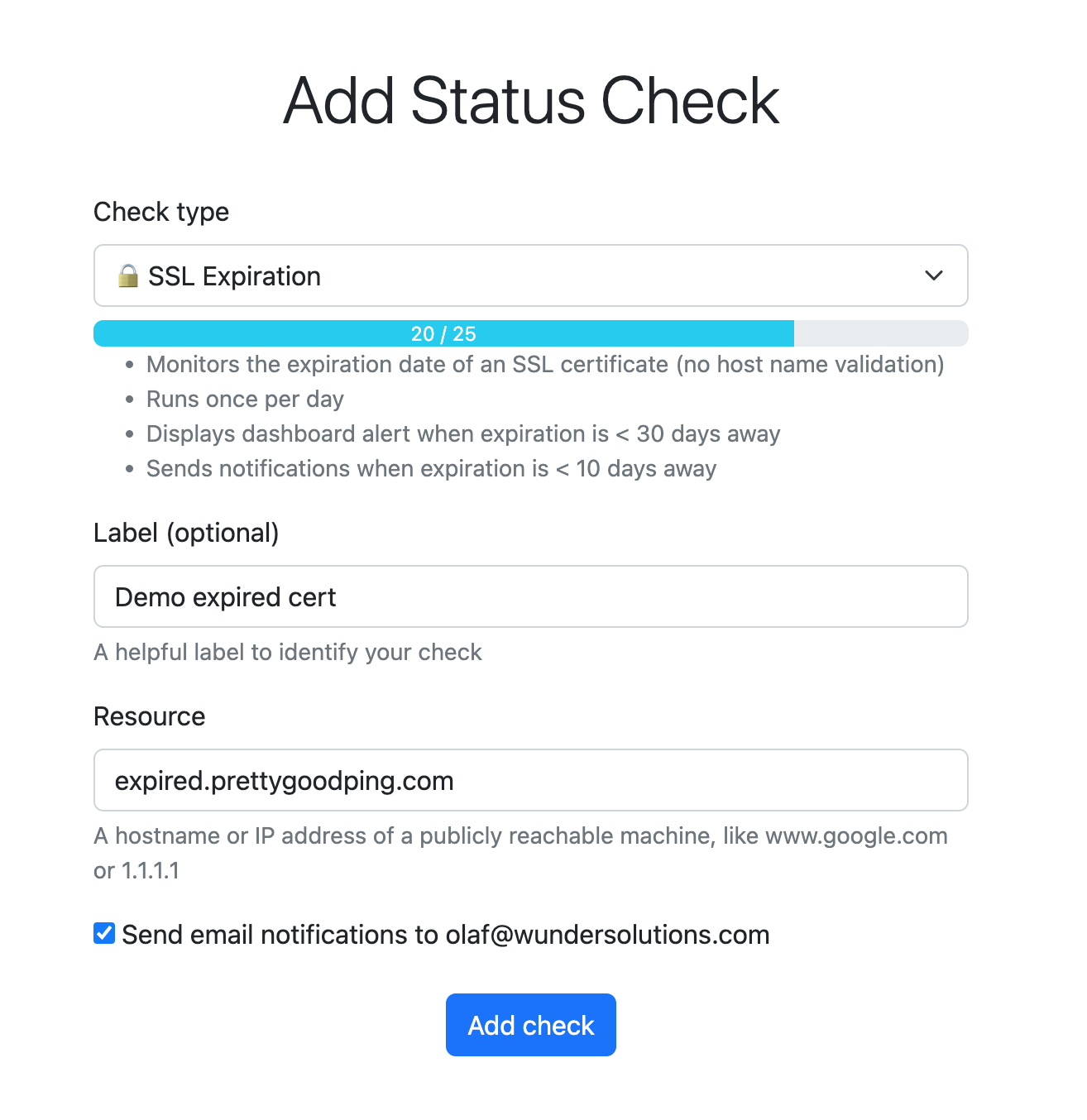
- 2 Add a check — pick a type, paste the hostname, domain or URL, add a label if you like, and tick email notifications.
- 3 Watch the dashboard. Results appear shortly after a check runs. Sort, filter by label, or re-run a check yourself.
I built PrettyGoodPing because keeping track of certs, domains and servers for myself and for my clients had become one more thing to make my day longer than it needed to be. I wanted a simple and easy-to-use tool. It didn't need to do everything — it just had to be pretty good.
In most cases this will be a “pretty good” solution for smaller apps, hobby apps, self-hosted apps and pet projects. If you need something more robust, there are lots of enterprisey solutions out there which will ping every minute etc. PrettyGoodPing, on the other hand, is free while in Beta.
Start monitoring, free
Beta accounts are open ended, and you'll get at least 60 days notice before that changes. Questions or a bigger setup? Email [email protected].